Digital menu boards for your café — without the hardware
Use the Fire TV you already have. Set up in 3 minutes.
Replace your printed daily-specials board with a digital one that updates in seconds. Show your menu, social posts, and Instagram QR in rotation. Free for 1 screen — €4/month per extra screen if you scale.
Founding cafés — limited spots
We're onboarding our first 5 founding cafés this month
Our first café customers aren't just buying software — they're getting founder attention. White-glove setup, direct access to Chris, feature requests prioritised, and pricing locked in before we raise rates.
- White-glove onboarding — Chris walks you through your first screen live
- Your pricing locked in forever, before any future rate increase
- Feature requests go to the front of the queue
- Direct founder access — not a support ticket
What cafés put on their screens
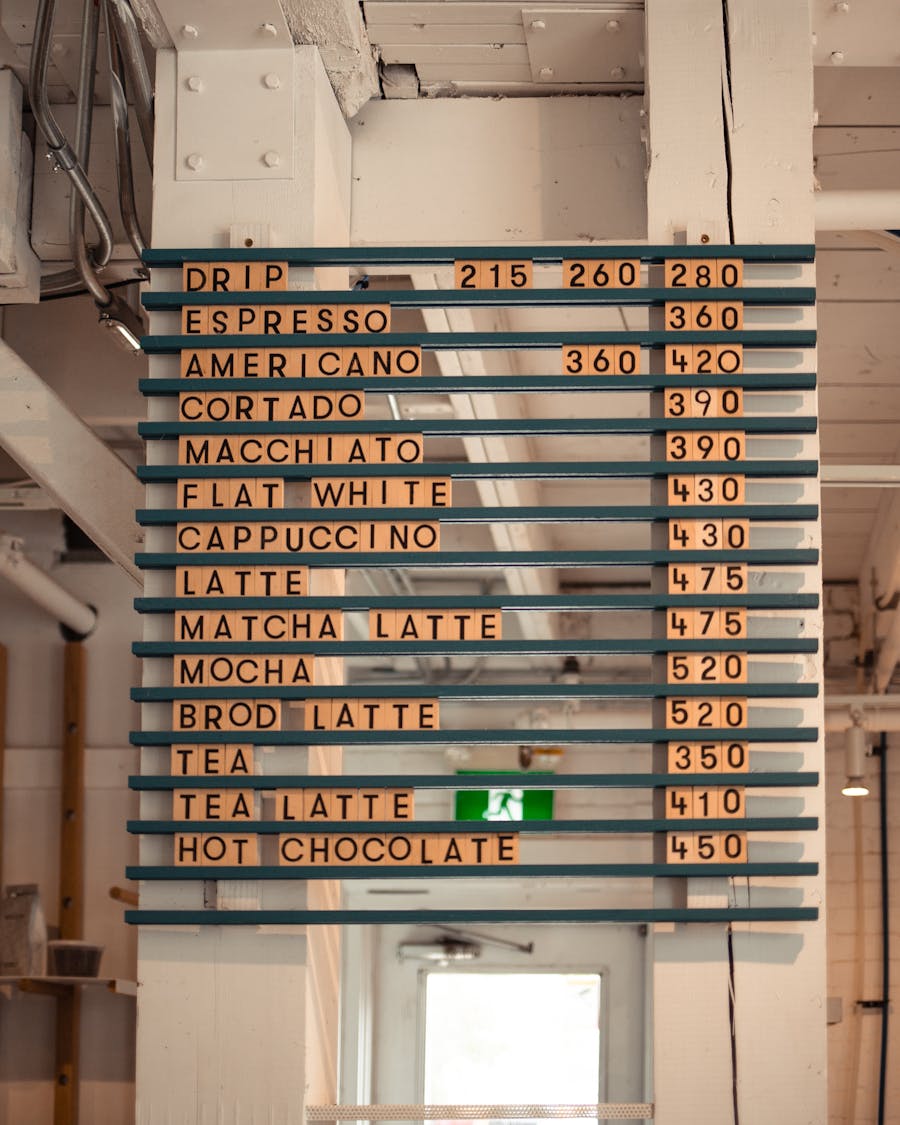
Live menu boards
Update prices, swap items, run a “specials of the day” slide. Changes you make in the dashboard show up on the TV in seconds.
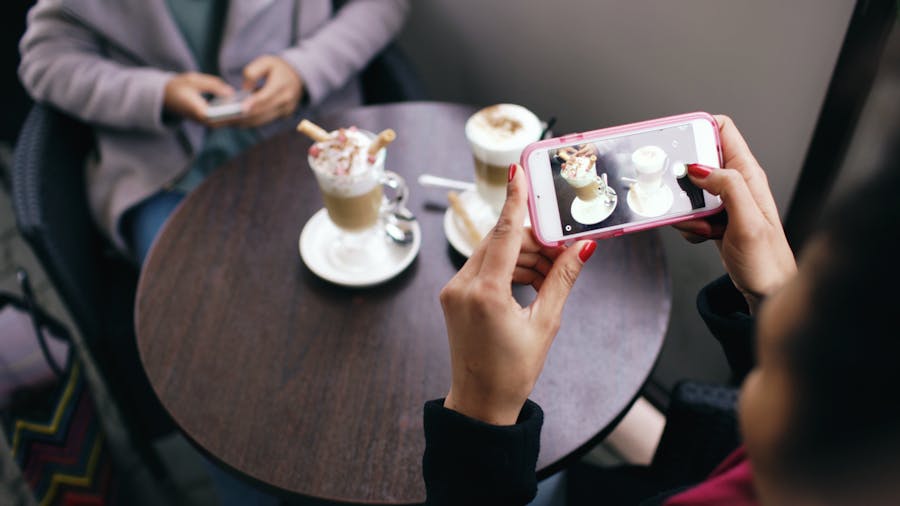
Social-media wall
Show your latest Instagram posts, customer photos, or a rotating QR code linking to your social profiles. Customers scan, follow, share.

Time-of-day scheduling
Breakfast menu 7-11am, lunch 11-3, evening drinks after 5. Each screen runs the right playlist automatically.
How it works (3 minutes, no hardware to buy)
- 1
Sign up free at screensync.tv
Email, magic link, you're in. No credit card. The free tier is 1 screen forever — perfect for a single café.
- 2
Pair your Fire TV (or any Android TV)
On the TV, open the Silk browser, go to
screensync.tv/tv, type the 6-digit pair code shown in your dashboard. Done. - 3
Upload content + build a playlist
Drag your menu image, video, or specials slide into the Media Library. Drop into a Playlist. Assign to your screen. Live.
<15 min
Average first-screen setup
<10 sec
From dashboard save to screen update
£0
New hardware if you already have a Fire TV
Built around how cafés actually run
Use the screen you already have
Most cafés we know already have a Fire TV or smart TV somewhere — by the till, behind the counter, in a corner unused. Screensync runs on it. If you don't have one, £25 Fire TV Stick from Amazon plugs into any TV with HDMI.
€48 per screen per year, all-in
No bundled hardware to buy. No surprise renewal hike. €4 a month per screen, billed annually. Three screens (front menu, drinks board, social wall) = €144/year. Spread across 12 months of coffee, that's a few extra flat whites a week.
Email the founder, get a real reply
Email support@screensync.tv and Chris (UK-based, the founder) replies personally — usually within minutes. No ticket queue. No “hi I'm Sarah from the support team.” Just a human who knows the product.
Update from your phone, in seconds
Run out of pastries? Open the dashboard on your phone, drag the slide off, screen updates within seconds. No going back to the till. No restarting anything. Schedule by time of day too — breakfast 7-11, lunch 11-3, evening drinks after 5.
Pricing for cafés
Free
€0
Forever, 1 screen
Perfect for: single café, one menu board, no commitment.
Screensync
from €4
Per screen / month, billed annually
Every feature, as many screens as you need. Volume pricing available for multi-site operators — just ask.
FAQ
Do I need to buy a special device?
No. Screensync runs on any Android TV, Fire TV Stick, or even an old laptop. Cheapest path: a £25 Fire TV Stick from Amazon plugged into the back of your existing TV.
Can I update menus from my phone?
Yes. The dashboard works on mobile. Update a slide → screen shows the new content within ~5 seconds.
What if my internet drops?
Currently the screen needs internet to fetch new content. Cached playback during short outages is on the roadmap. Your router going down for 5 minutes won't kill the display, but a full-day outage means the screen will eventually go blank.
Can I show YouTube videos?
Yes. Paste a YouTube URL and it plays embedded. Common use: a 5-minute looping promo video for your house blend.
What about portrait orientation?
Supported — Android TV / Fire TV doesn't natively rotate, but if you mount the TV in portrait and design content vertically, Screensync handles it. Custom orientation logic on the roadmap.
Need help getting set up?
Email support@screensync.tv or book a free 15-minute walk-through — I'll set up your first screen live with you. Free, even on the free tier.
What café & retail buyers say about other tools
“I seem to lose connectivity more than I would like to. Mostly having to reboot the Firestick.”
Reliable playback is the whole point. If your screen ever drops, email Chris directly and he'll get it sorted — no ticket queue.
Try it free, no commitment
One screen, free forever, no card required. Sign up tonight, your menu's on the TV before the morning rush.
Not ready to sign up? Email Chris and he'll mock up what your screen could look like — no commitment, no pitch.